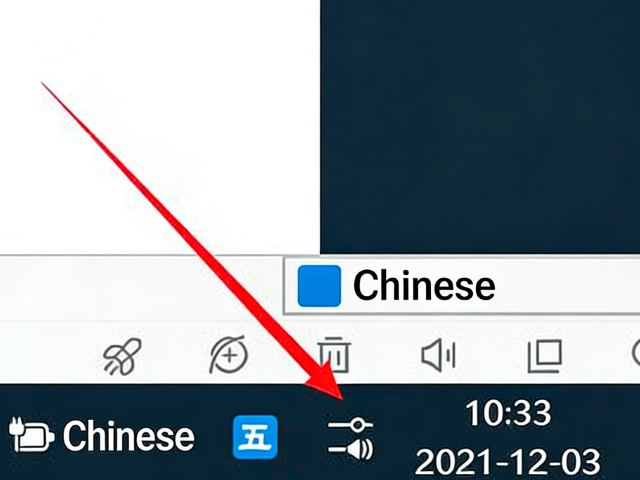
What to do if the Control Center is missing in Windows 11 and how to show it again?
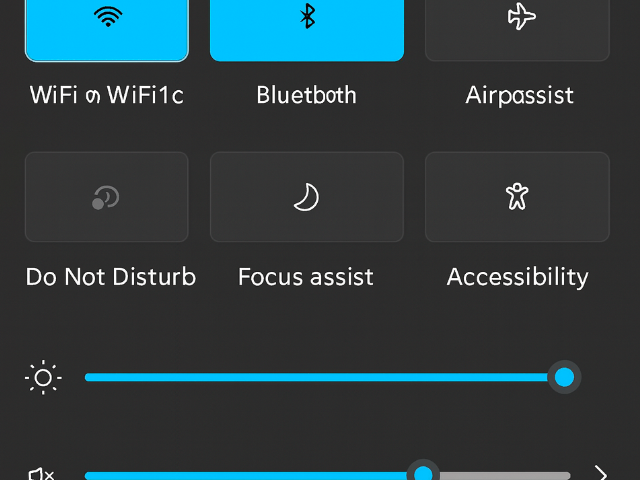
Many users have reported that the Control Center is missing from the bottom-right corner of their Windows 11 desktop. Some had the Control Center in Windows 10, but it disappeared after upgrading to Windows 11. The Windows 11 Control Center allows you to adjust screen brightness, volume, and toggle settings such as Wi-Fi, Airplane Mode, Focus Assist, and more. Below, we’ll show you how to bring back the Control Center in Windows 11.
Follow these steps:
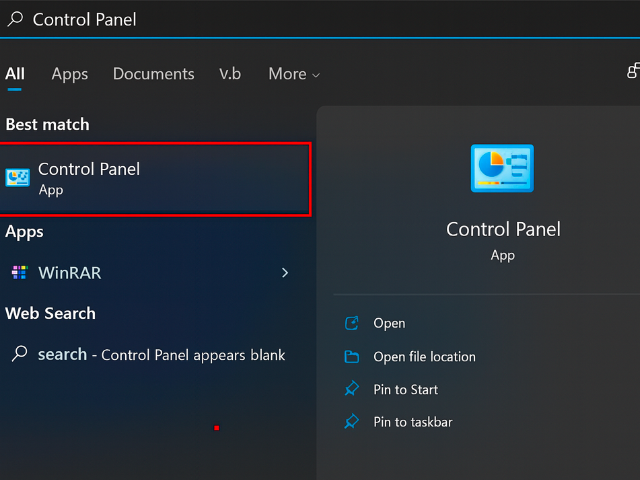
- Click the search box on the taskbar and search for Control Panel.
- After opening Control Panel, switch the view to either Small icons or Large icons.
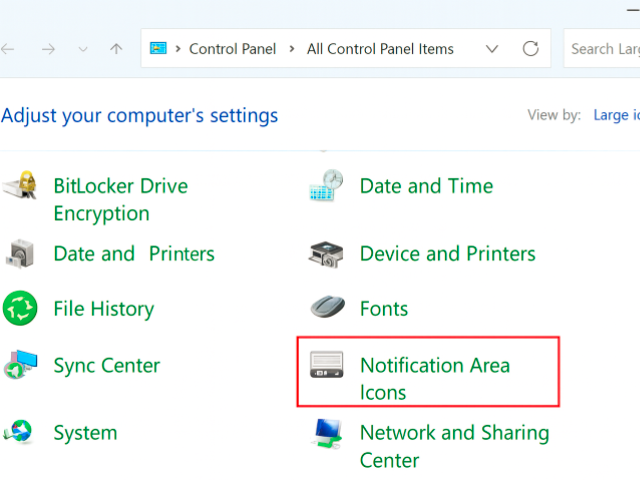
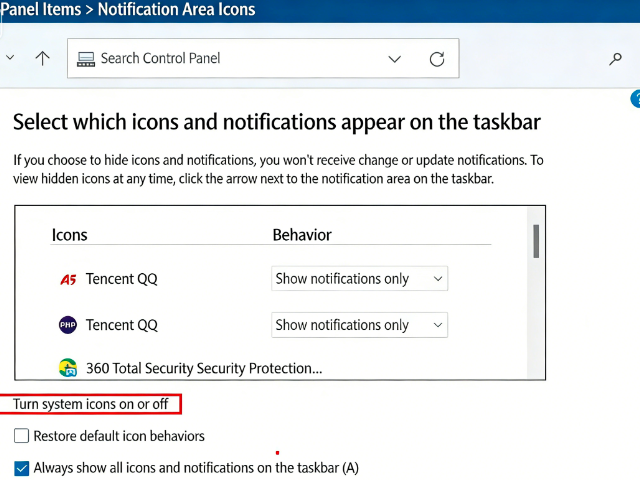
- Open Notification Area Icons settings, then click Turn system icons on or off.
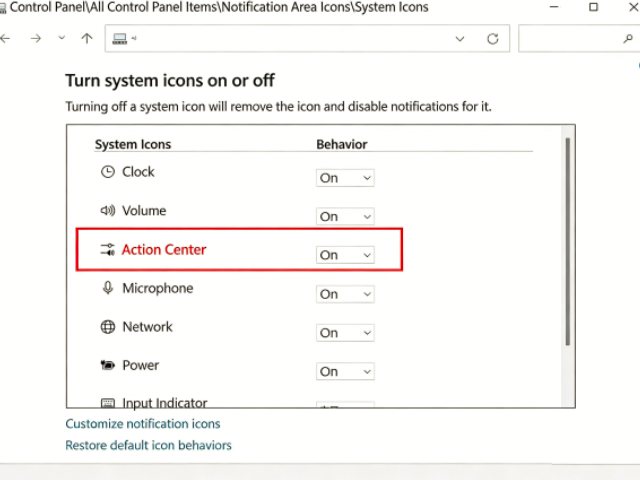
- Set Control Center to On, and you’re done! Now you can click the Control Center icon in the bottom-right corner to access various quick settings.
So, have you learned how to restore the Control Center in Windows 11?